
Screenshot Organizer
Finish what you saved. Keep what matters. Clear the rest.
In development · iPhone only to start
What it does
- Bring screenshots in
- Pick them yourself, connect Photos, or send them from the share sheet.
- Read on your phone
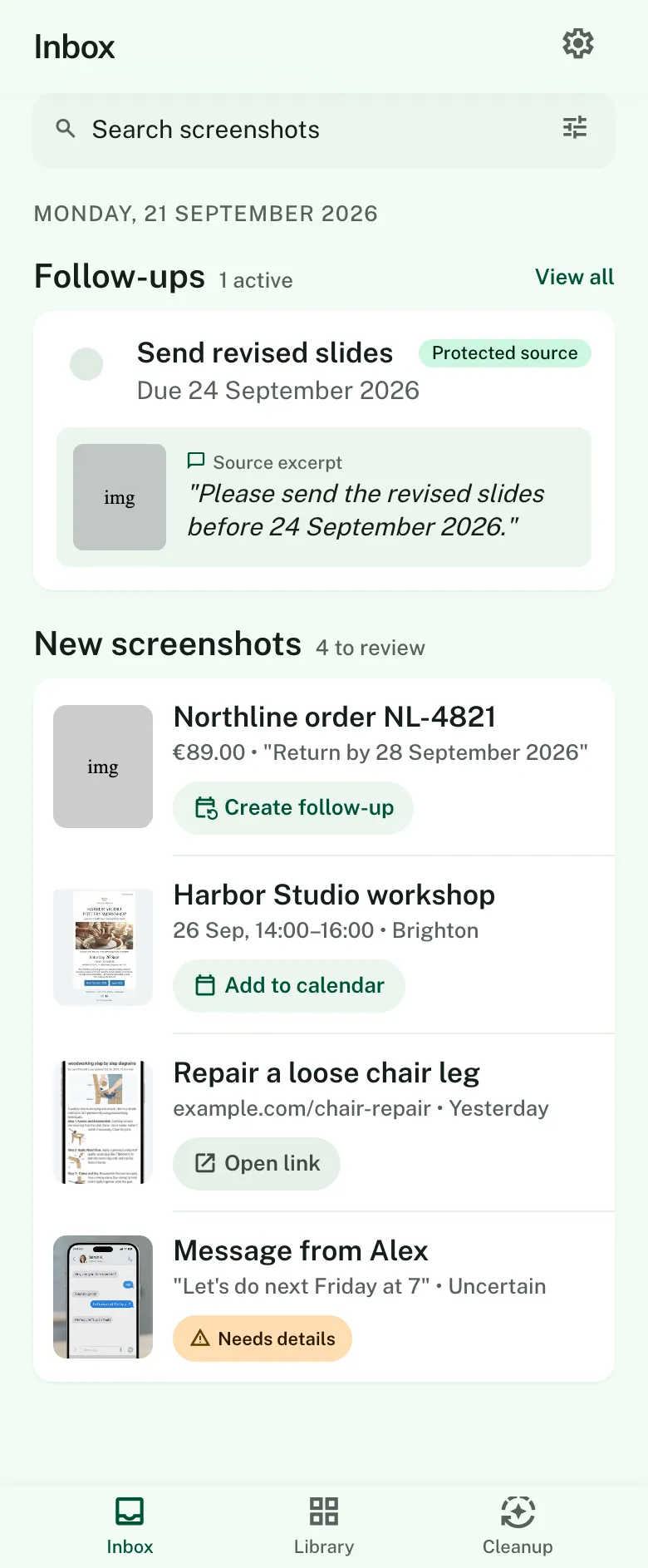
- Text, dates, links, addresses and QR codes are pulled out on the device, and each one shows where it came from.
- Turn a screenshot into a next step
- Make a follow-up with an optional alert. Add it to your calendar, copy the text, open the link or search the address in Maps.
- Find it later
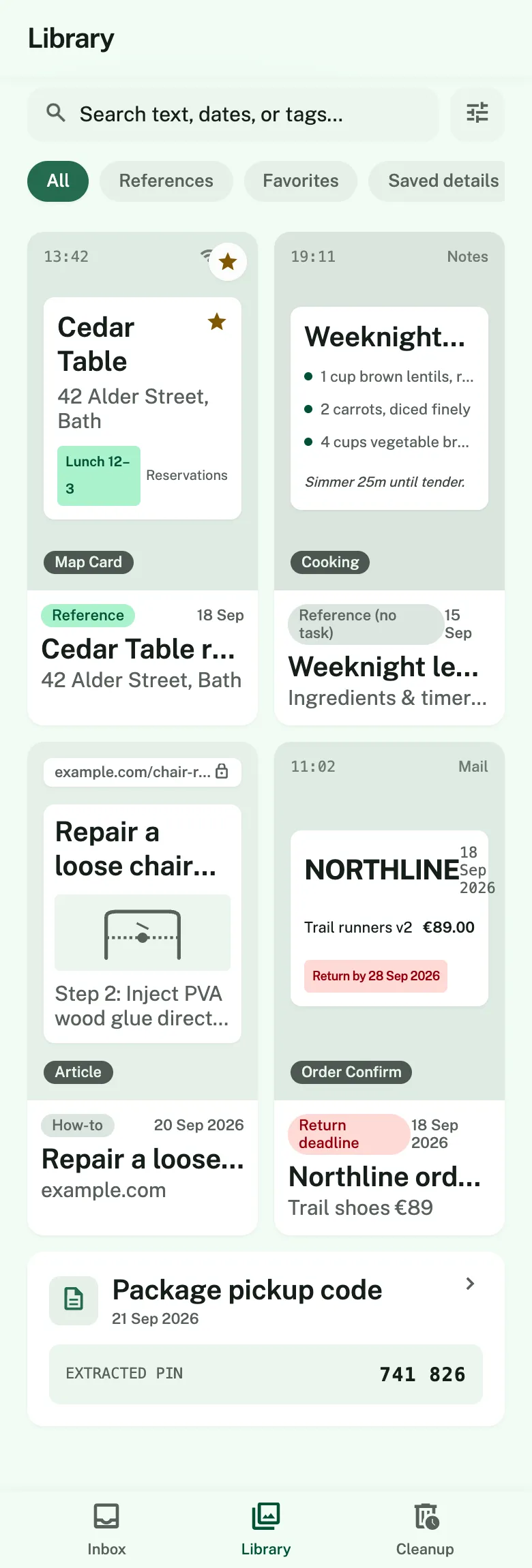
- Search across the text in your screenshots and the details you saved, without a connection.
- Clear the rest, carefully
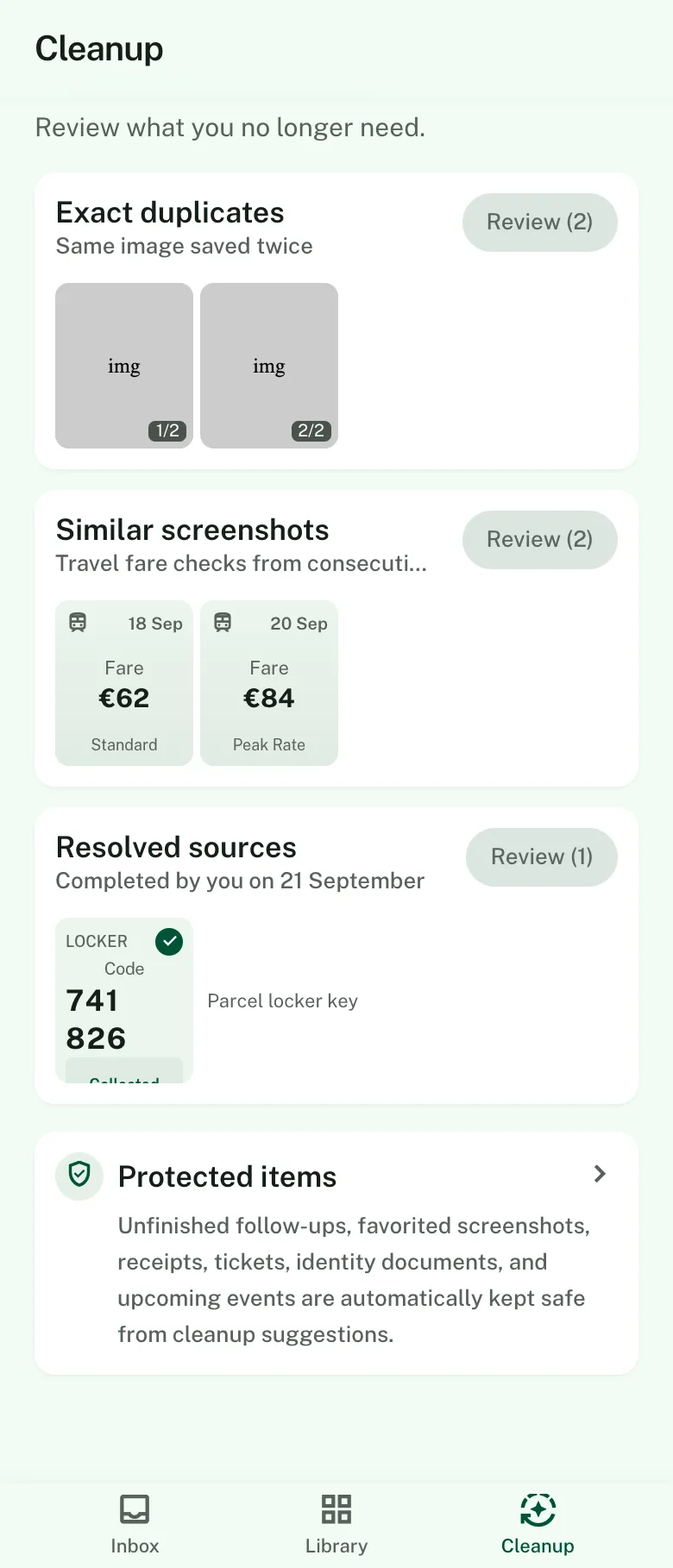
- Exact duplicates and similar shots are shown side by side. Screenshots with an unfinished follow-up are protected.
Why we're making it
Everyone has a camera roll full of screenshots they meant to deal with. A date in a message. A link someone sent. An order number. Saving the screenshot felt like doing something.
Screenshot Organizer is for the second step. It reads what is in each screenshot, offers the obvious next action, and keeps what you decide to keep. Whatever is left can be cleared away with the unfinished ones left alone.
What it does with your data
- Screenshots are read on your iPhone. The app does not upload your screenshots.
- The first version has no account, no server, no cloud AI and no sync.
- Saved details live in the app's private storage and are left out of device backups.
- Diagnostics are off unless you turn them on, and they never include content.
- You can export everything as Markdown and JSON, or reset the app.
Questions
Is Screenshot Organizer available?
Not yet. It is in development for iPhone and has not been released.
Will it work on Android?
Not in the first version.
What will it cost?
Pricing is not decided. We will say here before launch.
Be first to know when Screenshot Organizer is ready.
More from HumaKit
 WakeyAlarms with wake-up puzzlesComing soon · Android firstComing soon
 Purchase GuardianReturns, trials & warranty remindersIn development · iPhone first, Android laterComing soon
 CardfoldYour loyalty cards in one placeIn development · iPhone and AndroidComing soon
 BoxTagFind what is stored in every boxIn development · iPhone firstComing soon
- Stick PuzzleMatchstick puzzles for a daily pauseIn development · iPhone and AndroidComing soon